
- Home ›
- Android入門 ›
- WebViewクラス ›
- HERE
表示するURLの指定
広告
WebViewに表示するURLを指定する方法を確認します。「WebView」クラスで用意されている「loadUrl」メソッドを使います。
loadUrl
public void loadUrl(String url)
Parameters:
  url  読み込みもとのページを表すURL
1番目の引数にはURLを表す文字列を指定します。例えば「http://www.google.co.jp/」などです。
具体的には次のように記述します。
private final int FP = ViewGroup.LayoutParams.FILL_PARENT;
private final int WC = ViewGroup.LayoutParams.WRAP_CONTENT;

@Override protected void onCreate(Bundle icicle) {
    super.onCreate(icicle);

    WebView webview = new WebView(this);
    webview.loadUrl("http://www.google.co.jp/");
    setContentView(webview, new LayoutParams(WC, WC));
}
サンプルプログラム
それでは実際に試してみます。プロジェクトを作成しソースコードを次のように変更しました。
package jp.javadrive.android;

import android.app.Activity;
import android.os.Bundle;
import android.widget.LinearLayout;
import android.view.View;
import android.view.ViewGroup;
import android.webkit.WebView;
import android.widget.Button;
import android.widget.EditText;
import android.view.View.OnClickListener;
import android.text.SpannableStringBuilder;

public class Test02_01 extends Activity implements OnClickListener{

    private final int FP = ViewGroup.LayoutParams.FILL_PARENT;
    private final int WC = ViewGroup.LayoutParams.WRAP_CONTENT;

    private EditText textUrl;
    private Button buttonGo;
    private WebView webview;

    @Override protected void onCreate(Bundle icicle) {
        super.onCreate(icicle);

        LinearLayout linearLayout = new LinearLayout(this);
        linearLayout.setOrientation(LinearLayout.VERTICAL);
        setContentView(linearLayout);


        LinearLayout ctlLinearLayout = new LinearLayout(this);
        ctlLinearLayout.setOrientation(LinearLayout.HORIZONTAL);

        textUrl = new EditText(this);
        textUrl.setText("http://");

        buttonGo = new Button(this);
        buttonGo.setText("Go");
        buttonGo.setOnClickListener(this);

        ctlLinearLayout.addView(buttonGo, createParam(WC, WC));
        ctlLinearLayout.addView(textUrl, createParam(FP, WC));


        webview = new WebView(this);
        webview.loadUrl("http://www.yahoo.co.jp/");

        linearLayout.addView(ctlLinearLayout, createParam(FP, WC));
        linearLayout.addView(webview, createParam(WC, WC));
    }

    private LinearLayout.LayoutParams createParam(int w, int h){
        return new LinearLayout.LayoutParams(w, h);
    }

    public void onClick(View v) {
        SpannableStringBuilder url = (SpannableStringBuilder)textUrl.getText();
        webview.loadUrl(url.toString());
    }
}
ビルド後にエミュレーター上で実行します。
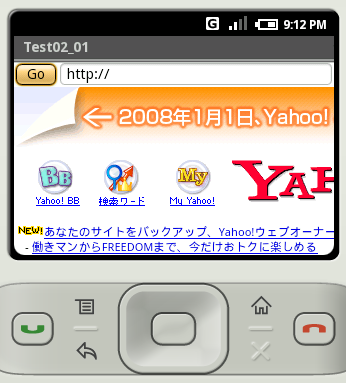
初期値として指定したURLが表示されました。
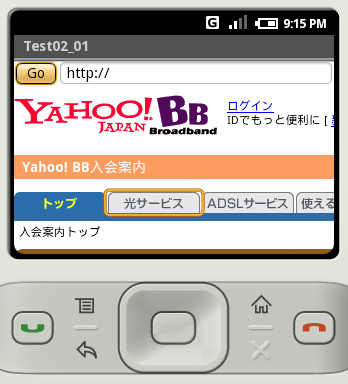
単に表示されるだけではなく、普通のブラウザと同様に利用することが可能です。リンクをクリックすればリンク先へ移動します。
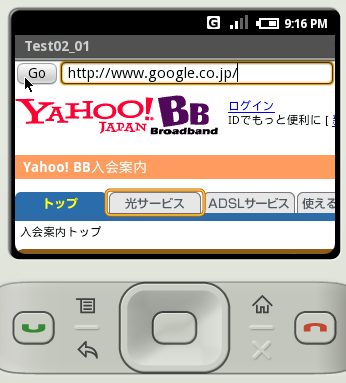
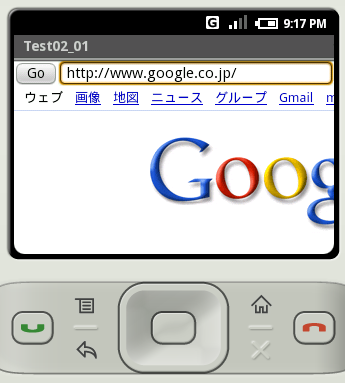
今回は画面上部にテキストボックスを配置してURLを後から入力できるようにしました。入力後に「Go」ボタンをクリックすると指定したURLへ移動します。
( Written by Tatsuo Ikura )
 JavaDrive